
Issue tokens
Create an API key
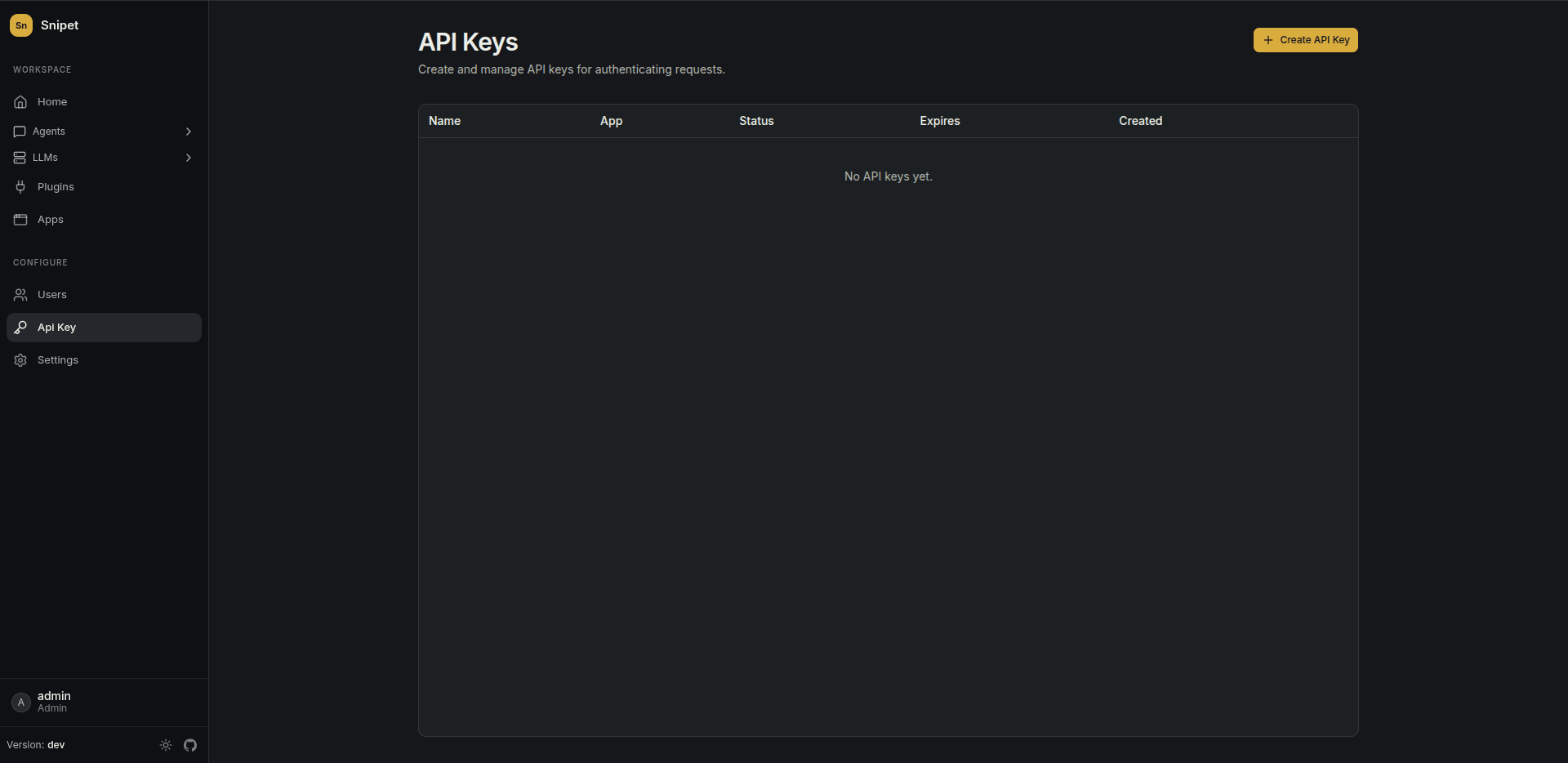
Section titled “Create an API key”In Api Key, create a key for your app and copy it. It’s shown once. Store it as a secret on your backend, like SNIPET_API_KEY.
Request a token
Section titled “Request a token”POST /api/apps/issue-token with the key in the X-API-Key header.
| Field | Required | |
|---|---|---|
externalUserId |
yes | Your id for the user. The same id always gets the same conversations. |
name |
The user’s name, carried in the token. | |
email |
The user’s email, carried in the token. | |
metadata |
Any JSON object you want carried in the token, like the user’s plan. | |
expiresInSeconds |
From 60 to 86400 (24 hours). Defaults to 3600. | |
appId |
When set, the request fails unless the key belongs to this app. A guard against mixing up keys. |
The response:
{ "token": "eyJhbGciOi...", "expiresAt": "2026-10-22T15:04:05.000Z" }Examples
Section titled “Examples”Each example is a backend endpoint your frontend calls, like GET /snipet-token, after your own sign-in check.
curl -X POST https://snipet.example.com/api/apps/issue-token \ -H "X-API-Key: $SNIPET_API_KEY" \ -H "Content-Type: application/json" \ -d '{ "externalUserId": "user-123", "name": "Ada Lovelace", "email": "ada@example.com" }'// Express. `req.user` is whoever your own auth signed in.app.get("/snipet-token", async (req, res) => { const response = await fetch("https://snipet.example.com/api/apps/issue-token", { method: "POST", headers: { "X-API-Key": process.env.SNIPET_API_KEY, "Content-Type": "application/json" }, body: JSON.stringify({ externalUserId: req.user.id, name: req.user.name, email: req.user.email }), }); if (!response.ok) return res.status(502).end(); res.json(await response.json());});# Flask. `current_user` is whoever your own auth signed in.import osimport requestsfrom flask import jsonify
@app.get("/snipet-token")def snipet_token(): response = requests.post( "https://snipet.example.com/api/apps/issue-token", headers={"X-API-Key": os.environ["SNIPET_API_KEY"]}, json={"externalUserId": current_user.id, "name": current_user.name, "email": current_user.email}, timeout=10, ) response.raise_for_status() return jsonify(response.json())// net/http. currentUser is whoever your own auth signed in.func snipetToken(w http.ResponseWriter, r *http.Request) { user := currentUser(r) body, _ := json.Marshal(map[string]string{ "externalUserId": user.ID, "name": user.Name, "email": user.Email, }) req, _ := http.NewRequest("POST", "https://snipet.example.com/api/apps/issue-token", bytes.NewReader(body)) req.Header.Set("X-API-Key", os.Getenv("SNIPET_API_KEY")) req.Header.Set("Content-Type", "application/json")
res, err := http.DefaultClient.Do(req) if err != nil || res.StatusCode != http.StatusOK { http.Error(w, "could not issue a Snipet token", http.StatusBadGateway) return } defer res.Body.Close() w.Header().Set("Content-Type", "application/json") io.Copy(w, res.Body)}<?php// Laravel. auth()->user() is whoever your own auth signed in.use Illuminate\Support\Facades\Http;
Route::get('/snipet-token', function () { $user = auth()->user(); $response = Http::withHeaders(['X-API-Key' => env('SNIPET_API_KEY')]) ->post('https://snipet.example.com/api/apps/issue-token', [ 'externalUserId' => (string) $user->id, 'name' => $user->name, 'email' => $user->email, ]); return $response->throw()->json();});Next: use the token in the widget or your own UI.