Models
A model connection is a provider plus the credentials to use it. Agents pick their models from these connections, so you can switch models without touching the agent’s prompt or plugins.
Providers
Section titled “Providers”- Cloud: OpenAI, Google Gemini, Mistral AI, Groq, OpenRouter, DeepSeek, xAI, Cerebras and Fireworks AI.
- Local: Ollama and LM Studio. Point the connection at the server’s URL, like
http://localhost:11434; the API key is optional.
Add a connection
Section titled “Add a connection”Go to LLMs > Connections, pick the provider and fill in its fields, usually an API key. Credentials are stored encrypted with your ENCRYPTION_KEY.
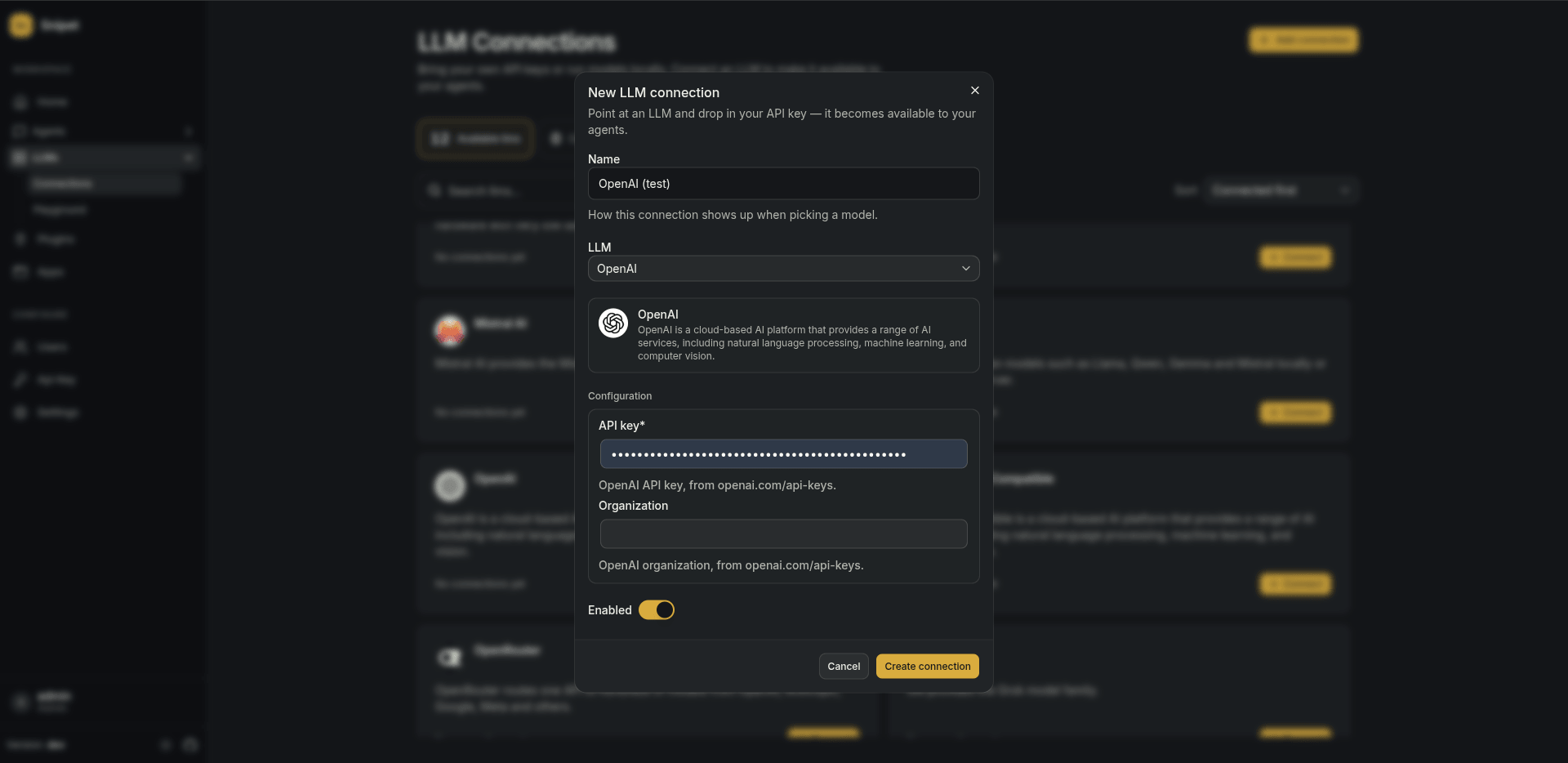
You can have several connections for the same provider, say one per team or billing account. One of them is the default: it’s used when an agent names a model of that provider without picking a connection.
Try a model
Section titled “Try a model”LLMs > Playground sends prompts straight to a model, without an agent. Use it to compare models before giving one to an agent.
Related
Section titled “Related”- Agents run on one or more of these connections, with fallback.